
Listen
Hear the difference.
One recording, four ways. Switch versions while it plays.
Original contains profanity
The untouched recording.
Real Autocensor output on 24 seconds of a real podcast, the densest stretch of our test episode.
Web app · Audio & podcasts
Autocensor finds every swear in a recording or podcast feed and replaces it with a clean word in the speaker’s own voice.
The free plan includes 10 files a month. You can upload your first file as a guest, without an account.

Listen
One recording, four ways. Switch versions while it plays.
The untouched recording.
Real Autocensor output on 24 seconds of a real podcast, the densest stretch of our test episode.
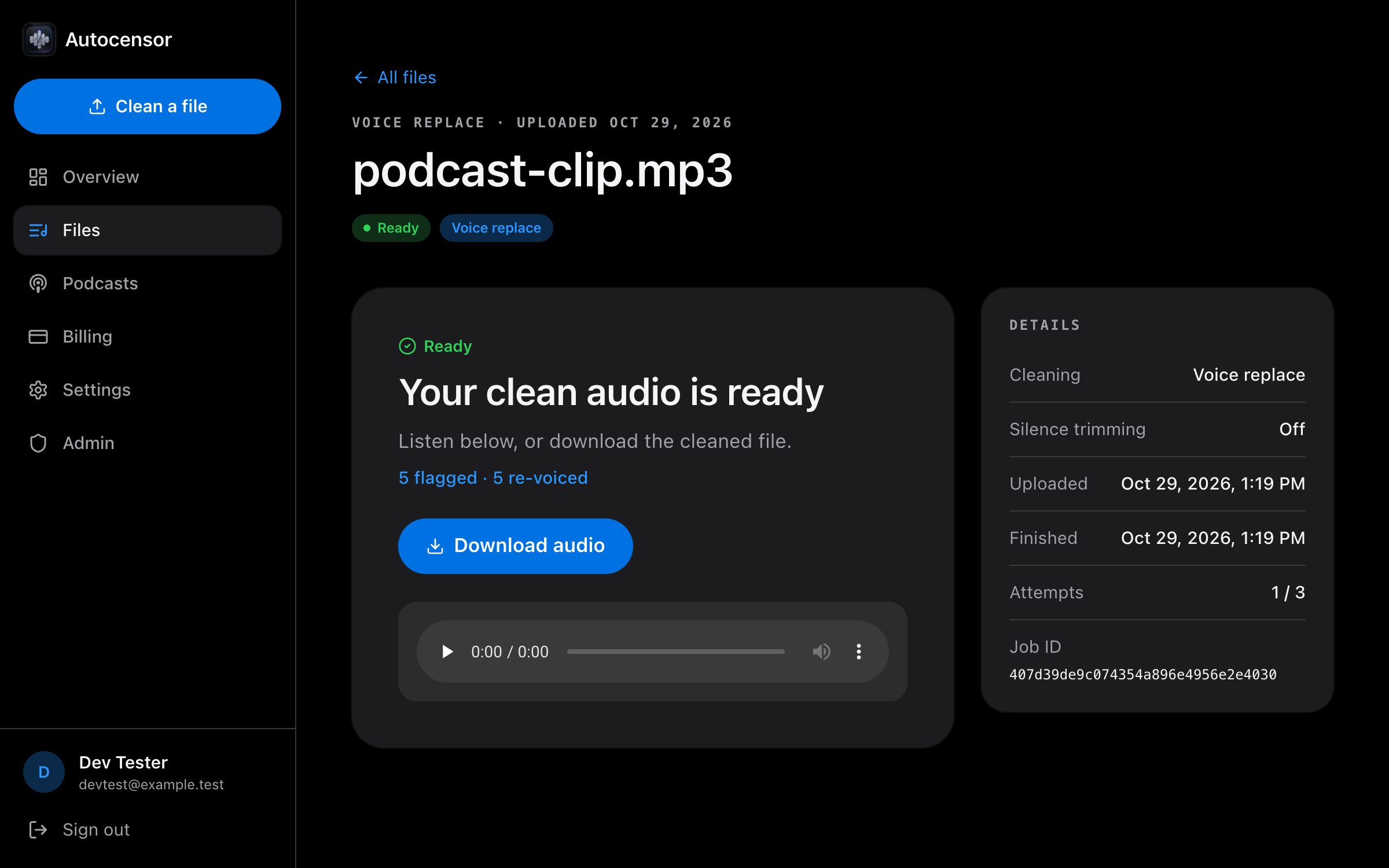
A guest upload with Replace: live progress, then the re-voiced file.
Voice replace
Autocensor transcribes every word with timing and finds each swear. It generates a clean word in that speaker’s own voice and splices it in at the word boundary, then checks the result for anything it missed.
A few pairs from the default word list.

Live progress
Leave the job page open. It shows each stage as it runs, over a live connection, so there’s nothing to refresh.
Pick a mode
Replace is the default. Beep or mute when you want the edit to be obvious.

Recommended
Swap each swear for a clean word in the speaker’s own voice.
Broadcast bleep
Classic broadcast bleep over the exact word.
Short pause
Cut the word out, leaving a short pause.
Podcasts
Add an RSS feed and Autocensor re-voices new episodes automatically, or beeps or mutes them. You get a clean feed URL to add to any podcast app.


Dashboard
See how many files you’ve cleaned this month against your plan, and open any recent file.
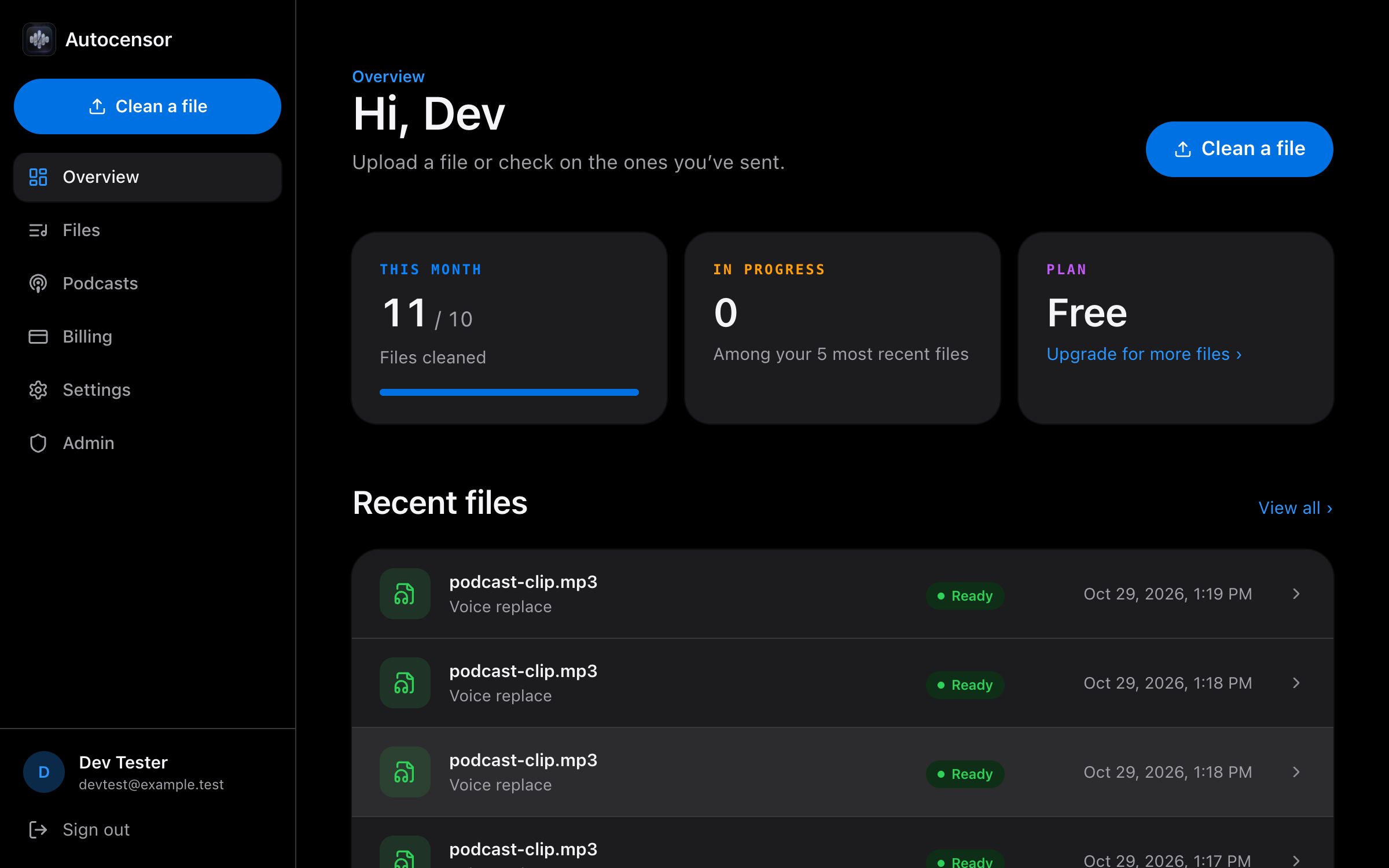
Straight from the app. Scroll through.
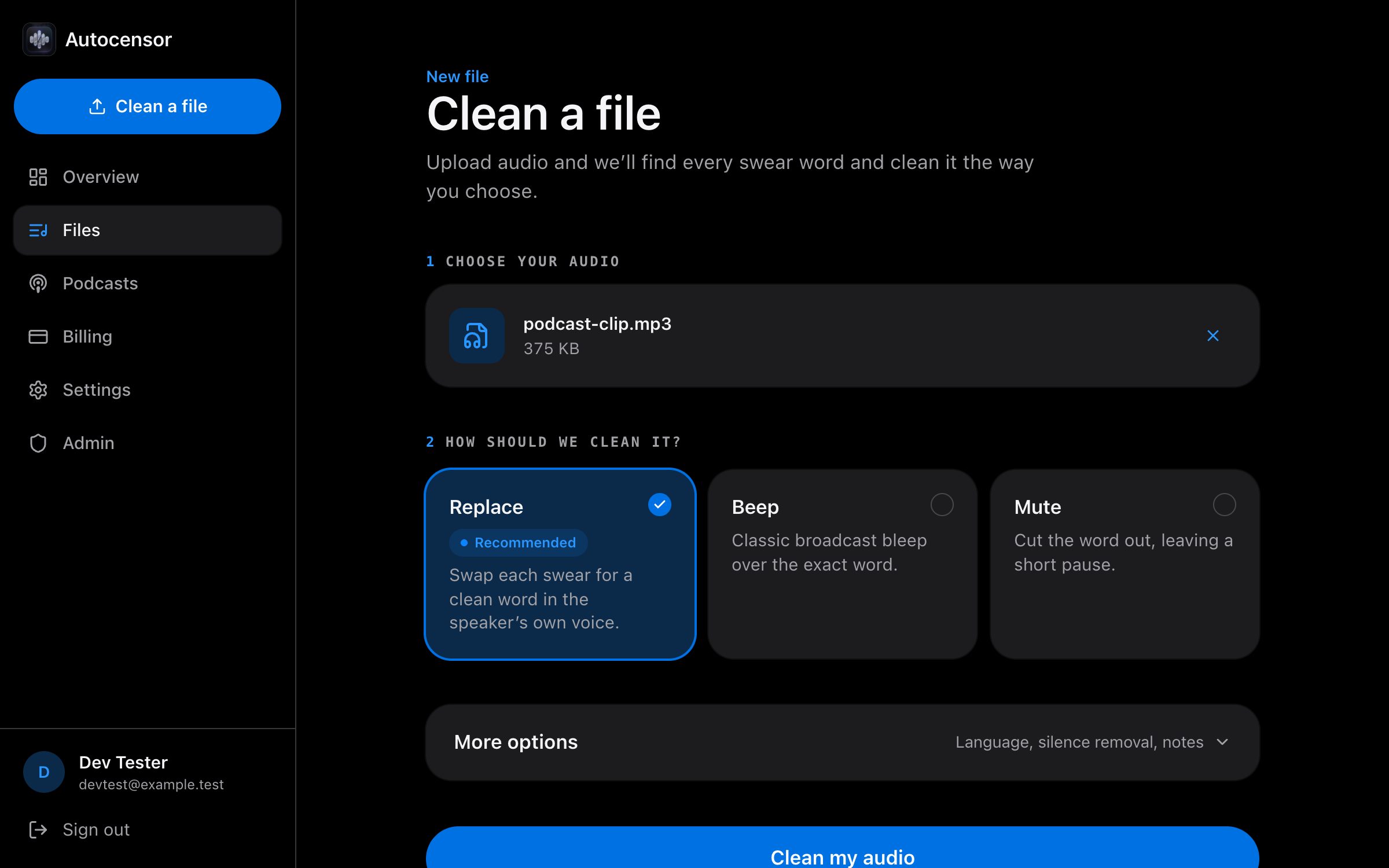
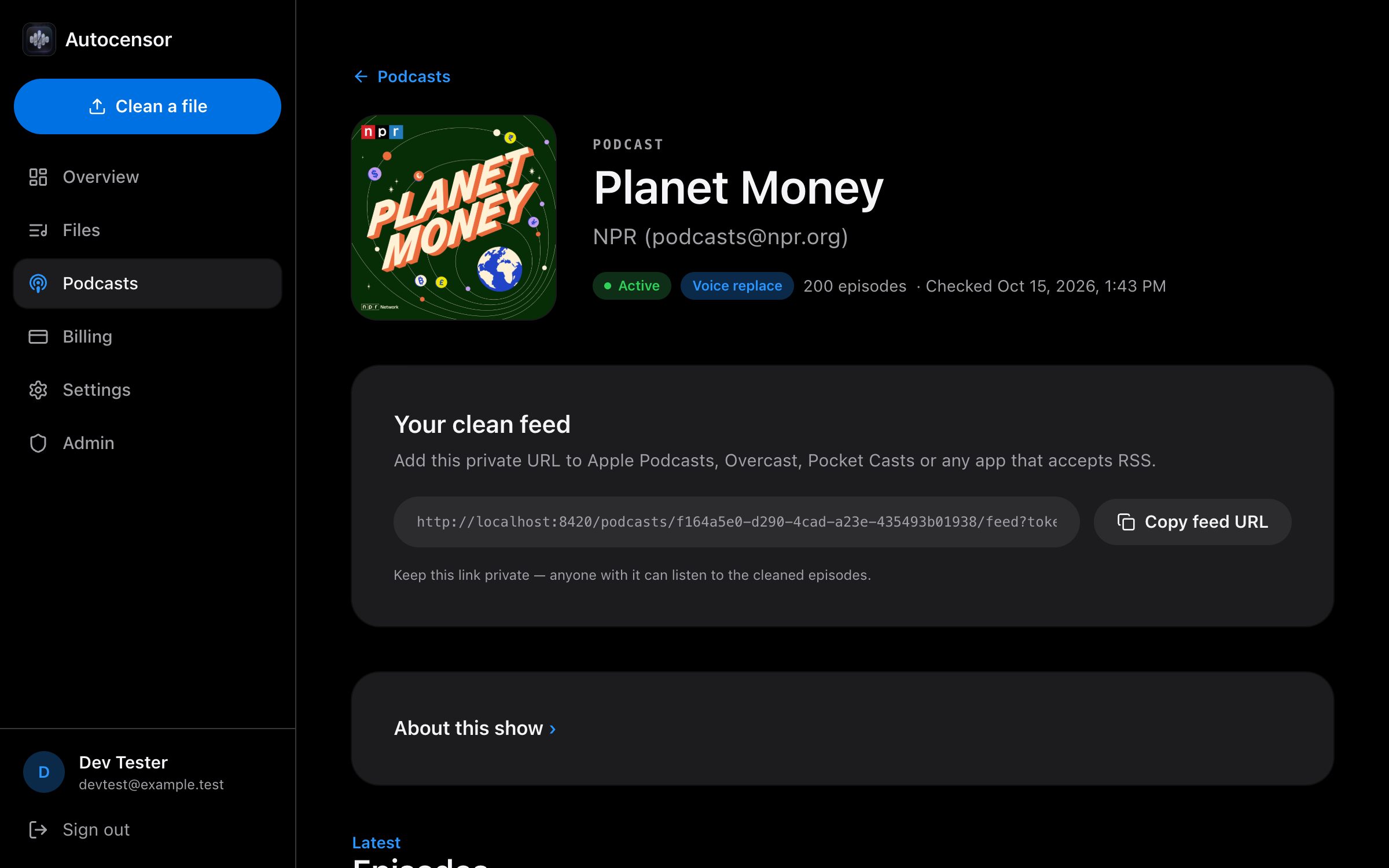
The app follows your device’s appearance setting.
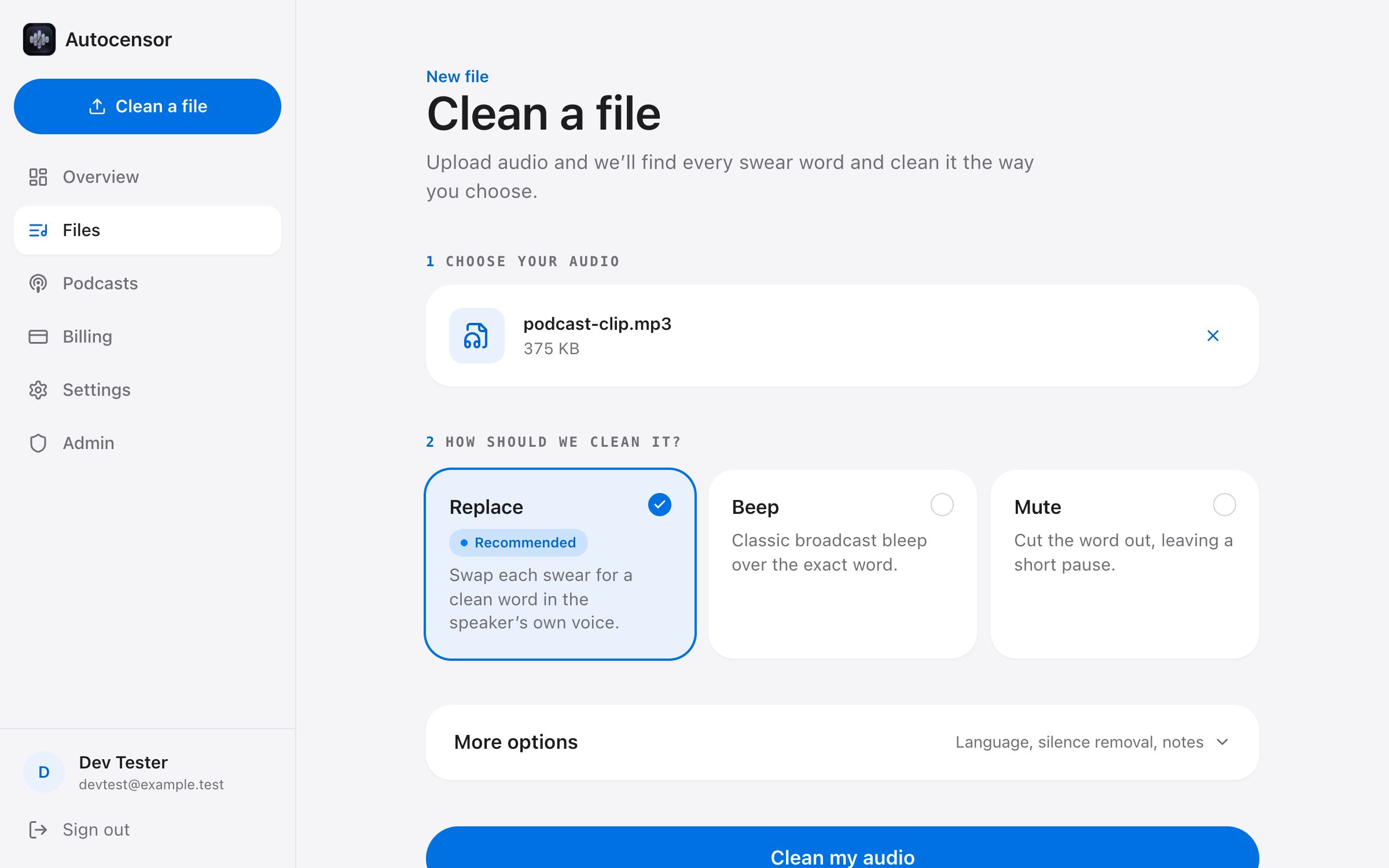
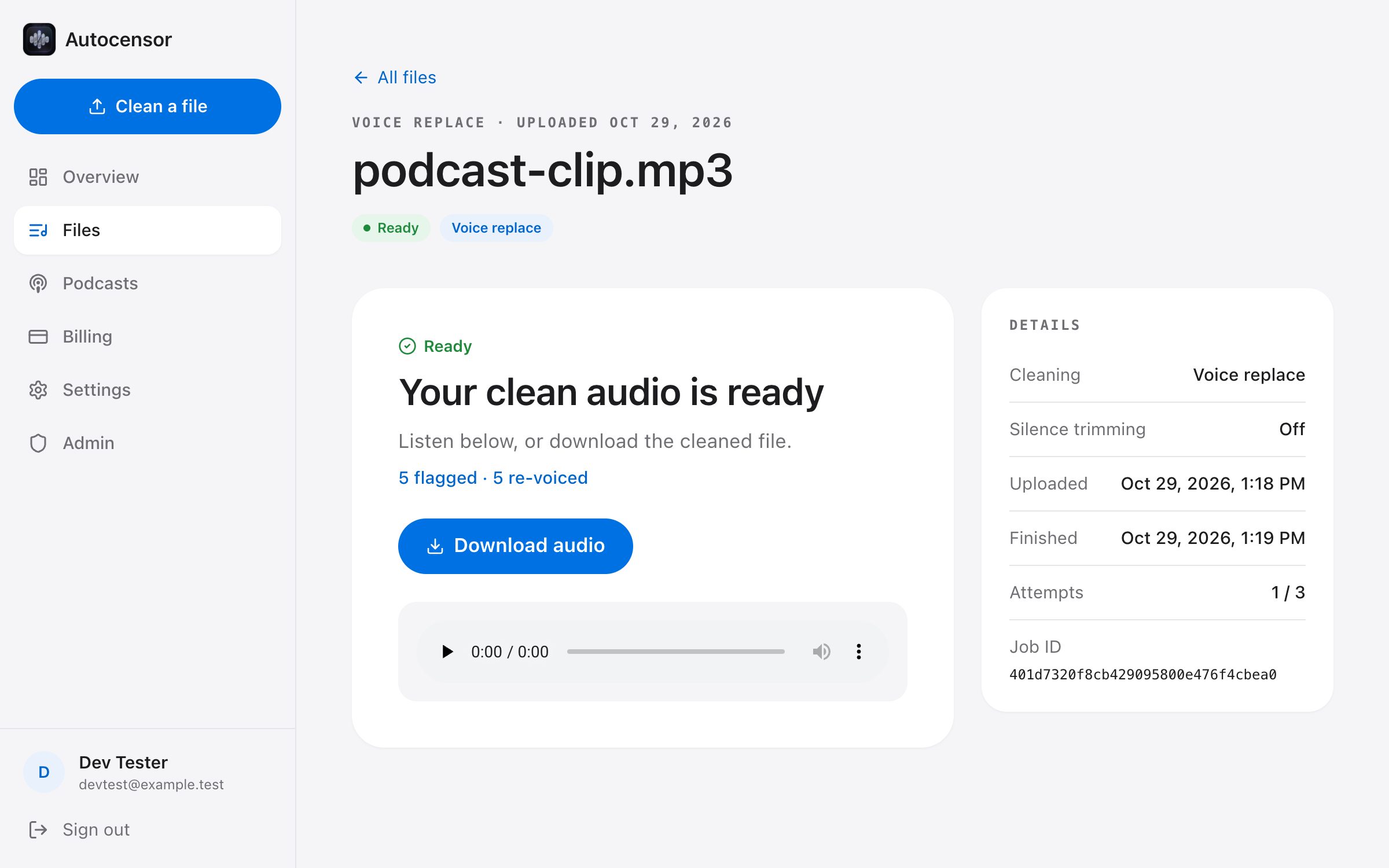
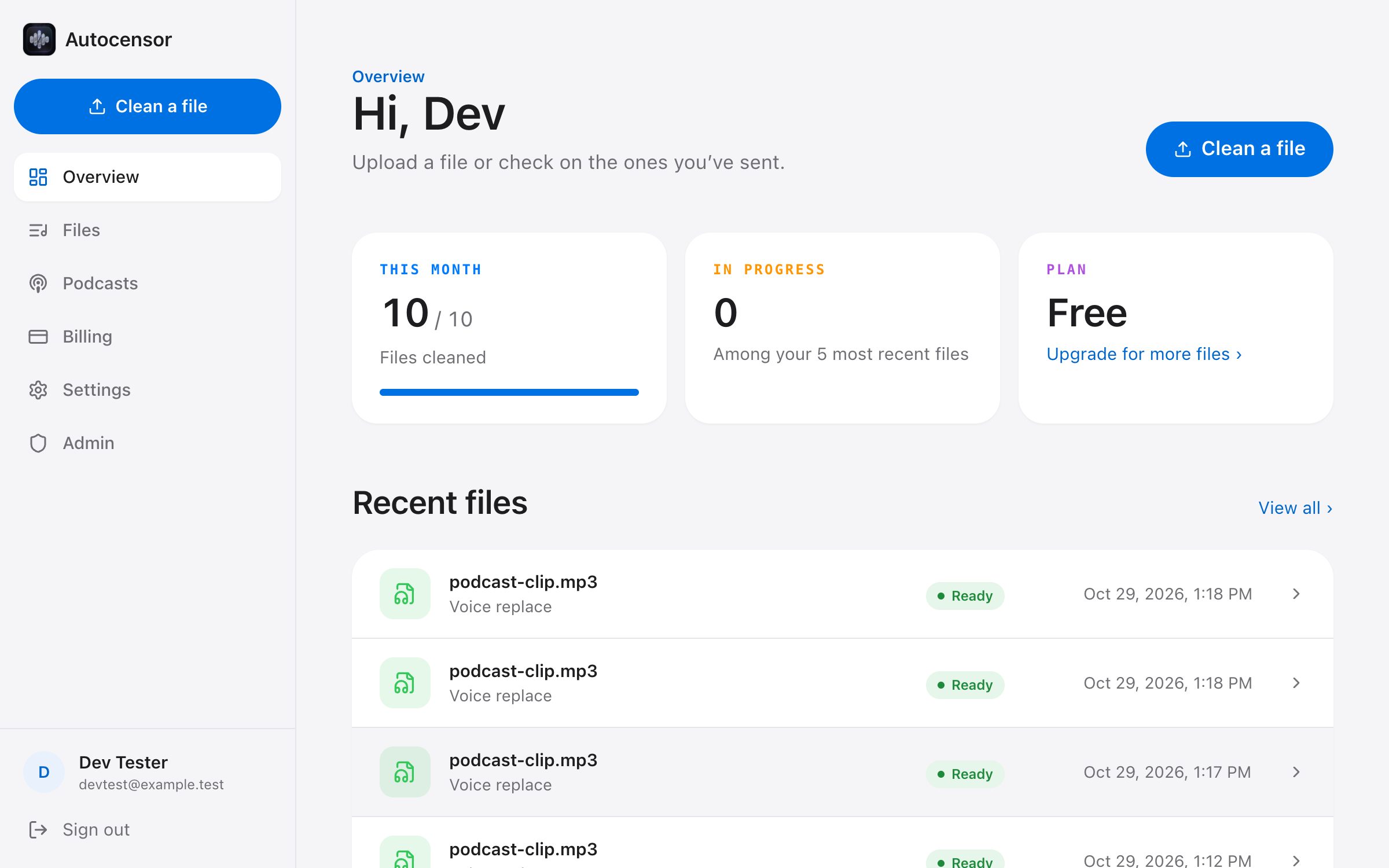
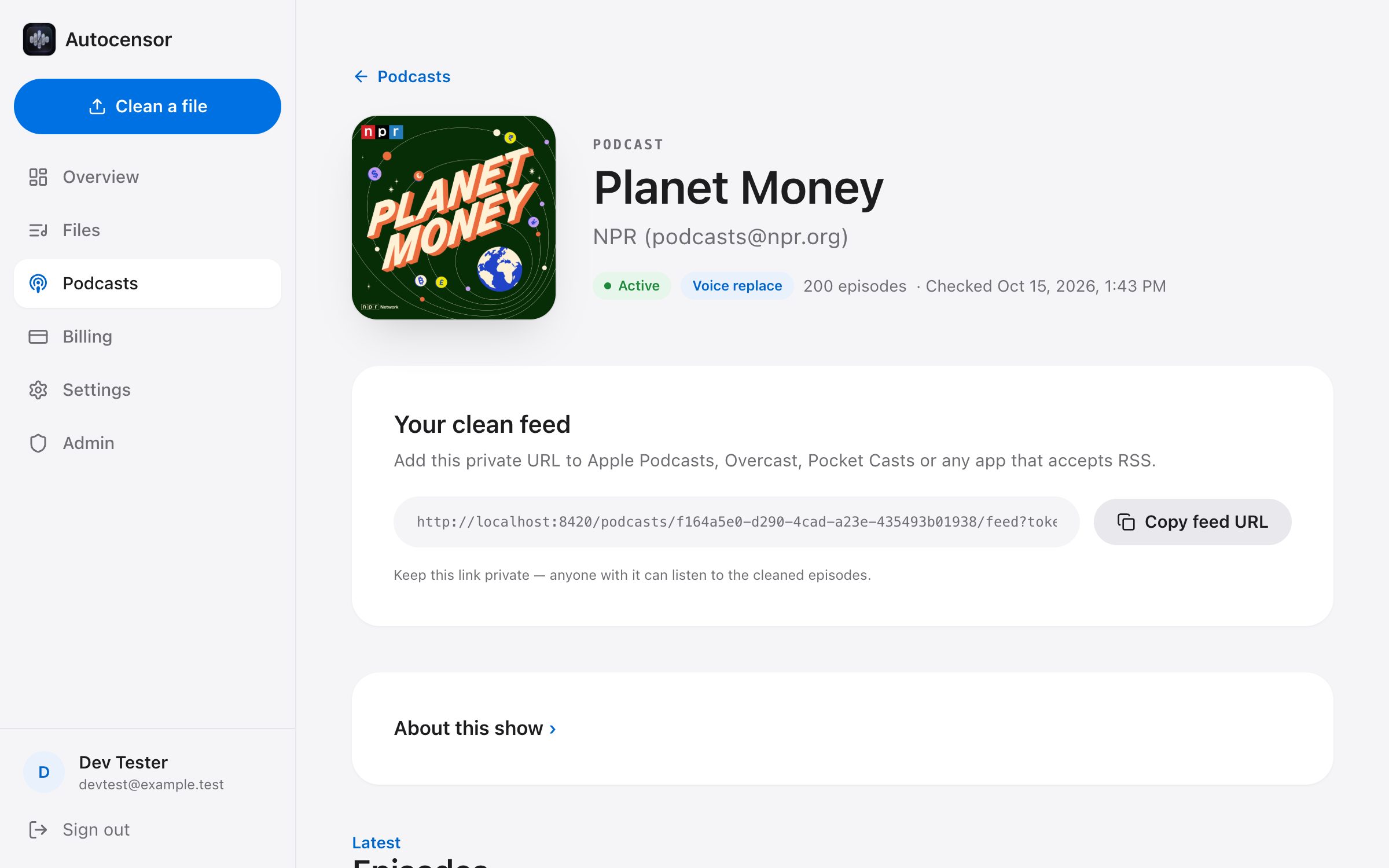
Upload from the home page and keep the private link to follow progress and download the result.
Each replacement is spliced in at the word’s own boundaries, leaving the speech around it untouched.
Speakers are told apart, so each clean word is made for the person who said the original.
Replace and Mute jobs are transcribed once more and checked for missed profanity before delivery.
Upgrade when you publish more.
$0 / month
$29 / month
$99 / month
No. Upload from the home page and you get a private link to follow progress and download the result. Create a free account when you want a history of files or podcast feeds.
Common audio formats — MP3, WAV, M4A and FLAC. The cleaned file comes back ready to publish.
It depends on the length of the recording and how busy the queue is. The job page updates live, so you can leave it open and come back when it says Ready.
That’s the point of voice replace: the new word is generated in the same voice and stitched into the original recording. If you’d rather make the edit obvious, choose Beep.
Files are tied to your account, or to the private link you get as a guest. Podcast clean feeds use a private tokenized URL.
Upload a recording and download the clean version. No account needed to try it.
Screenshots, the recording and the audio demo are real output from the app, made from a clip of a real podcast.